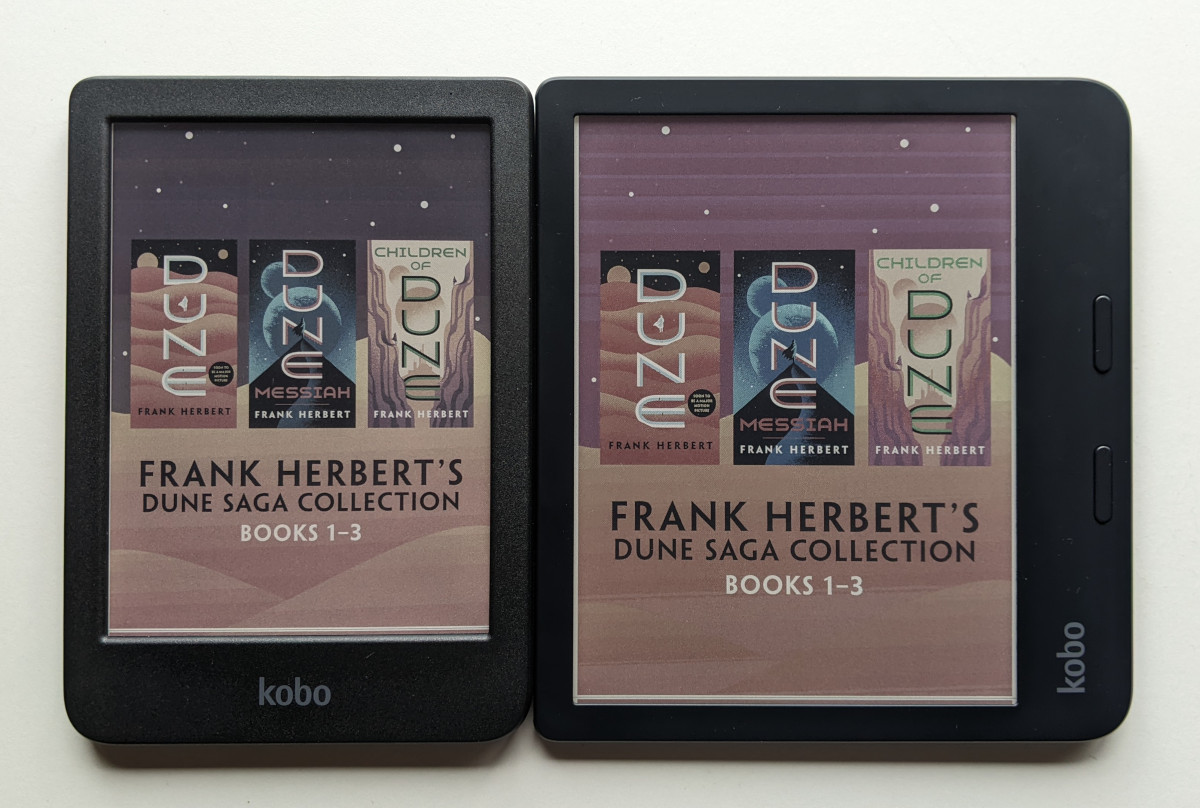
The Kobo Libra Colour and Clara Colour are Kobo’s first ereaders to come with color E Ink screens, and some people are noticing differences in color quality compared to other devices with color E Ink screens due to different color and saturation settings on the new Kobos.
The color settings aren’t adjustable normally on Kobo’s ereaders, but it turns out there’s a hidden settings menu with some different color modes that you can change.
To access the hidden developer’s settings menu on the Kobo Libra Colour and Clara Colour, type devmodeon into the search bar and then exit search. Open the main Settings menu and go to Device information, then select view next to Developer options at the bottom of the page. On page 2 of Developer options, you can change CFA Mode to try different color settings.
Side note: You can hide the dev settings menu again by typing devmodeoff into the search bar.
The CFA Mode settings can seem pretty subtle if you don’t take pictures or have another reference to compare settings with.
I have both color Kobos on hand so it’s easier to see the differences with each setting, and it also explains why the colors looked a little different between the two models when I did the Clara Colour vs Libra Colour comparison review.
Certain settings can make the colors stand out a bit more, but then some details are lost, especially when it comes to shadows. The default setting strikes a pretty good balance, but you can experiment with different color settings to find something you like better.
There’s also this guide on how to calibrate a Kobo ereader’s display over at iFixit as part of their repair manuals for Kobo’s new ereaders, but unless you know what you’re doing you probably don’t want to crack your new Kobo apart and start messing with the voltage settings.
Some people are doing just that, though, and are finding that the setting is off from the factory, and that can affect color quality as well. But be careful changing this because they say mismatched VCOM numbers can permanently damage the screen.
via: reddit